Smarter training for safer, faster trials
Research Grid’s Training Suite helps research teams deliver, track, and certify training with ease, while meeting regulatory requirements across studies, roles, and regions. Train staff, volunteers, and stakeholders with a centralized platform designed for clinical compliance, progress visibility, and tailored learning experiences.
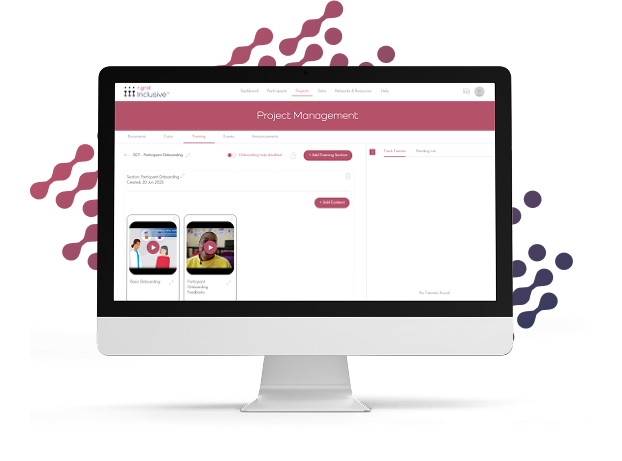
Training that works for everyone involved
Whether you’re onboarding new coordinators, educating patients, or aligning global stakeholders, Research Grid gives you the tools to manage training workflows with structure, speed, and full oversight.
Upload any content. Build tailored learning experiences.
We work across digital forums, advocacy groups, support networks, and condition-specific communities to identify highly relevant, study-ready individuals who match your protocol, improving recruitment and reducing screen-outs.

Smarter sourcing for faster, more inclusive trials
Sponsors
Standardize training across trials and vendor
Ensure consistent knowledge transfer, regardless of geography, site, or CRO, all while maintaining full traceability.
CROs
Deliver training at scale with zero admin overhead
Assign, track, and verify training across global study teams and timelines with one unified system.
Sites
Train staff quickly, track progress easily
Deliver protocol-specific or general compliance training to internal teams with role-based access and certification tracking.
Features to fit your needs

Upload GCP, protocol-specific, or SOP content in any format (PDFs, videos, SCORM, etc.)
Organize modules by study, therapeutic area, or operational role

Streamline Training Across Teams, Sites, and Studies
From volunteer onboarding to protocol-specific certification, Research Grid’s Training Suite simplifies education and compliance, so you can focus on running trials, not chasing checklists.